
Download Xthreads – AI‑Powered Twitter Thread Creator, Free Trial, Secure & Easy
What Is Xthreads? – A Detailed Overview
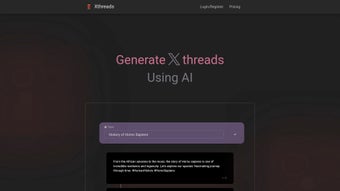
Xthreads is a web‑based AI tool built specifically for crafting engaging Twitter threads. In the era of bite‑size content, long‑form ideas often get lost in the 280‑character limit. Xthreads solves that problem by automatically breaking down complex topics—whether it’s a scientific breakthrough, a literary analysis, or a slice of human history—into a series of concise, coherent tweets. The platform operates on a subscription model, but it also offers a free trial so users can test the quality of the generated content before committing. Powered by a large‑language model fine‑tuned for social media tone, Xthreads produces narratives that feel natural, on‑brand, and ready to publish the moment they’re generated.
The tool is designed for a broad audience: educators can turn lecture notes into digestible threads, bloggers can repurpose long‑form articles, digital marketers can amplify campaign messages, and writers can tease upcoming releases. By automating the structuring process, Xthreads not only saves time but also boosts engagement metrics such as retweets, likes, and follower growth. Security is baked in—your API keys, login credentials, and generated content are encrypted and never shared with third parties. Regular updates ensure the AI stays current with Twitter’s evolving character limits and best‑practice guidelines. In short, Xthreads is a versatile, secure, and user‑friendly solution for anyone looking to enhance their Twitter presence with well‑crafted, sequential posts.
Core Features That Set Xthreads Apart
- AI‑Generated Thread Drafts: Input a topic or upload a document, and the AI creates a complete thread outline in seconds.
- Multi‑Domain Knowledge Base: From quantum physics to Renaissance literature, Xthreads draws from a vast repository of verified information.
- Customizable Tone & Style: Choose from professional, conversational, witty, or academic tones to match your brand voice.
- Inline Editing & Real‑Time Preview: Edit any tweet on the fly and see a live preview of how the thread will appear on Twitter.
- SEO‑Friendly Hashtag Suggestions: The tool recommends relevant hashtags that improve discoverability without sounding spammy.
- Collaboration Workspace: Invite team members to review, comment, and co‑author threads within a secure portal.
- Scheduled Publishing Integration: Connect Xthreads with popular social‑media schedulers (Buffer, Hootsuite) for automated posting.
- Analytics Dashboard: Track impressions, engagement rates, and follower growth for each published thread.
- Data Privacy & GDPR Compliance: All content is stored encrypted; users retain full ownership of their work.
- Regular Model Updates: The AI engine receives monthly improvements to stay aligned with Twitter’s algorithm changes.
Each feature is crafted to remove friction from the content creation pipeline. For example, the “Inline Editing & Real‑Time Preview” eliminates the need to copy‑paste between separate apps, while the “Collaboration Workspace” ensures that social media teams can work together without version‑control headaches. The combination of AI intelligence and human‑centric design makes Xthreads a standout tool in the crowded social‑media‑management market.
How to Install, Set Up, and Use Xthreads on Any Device
Step‑by‑Step Installation
Because Xthreads is a cloud‑based web application, there is no traditional download or installation process. Simply visit www.xthreads.com, click the “Start Free Trial” button, and create an account using your email or Google credentials. After email verification, you’ll be taken to the dashboard where the AI engine awaits your first prompt.
Getting Started with the Interface
The dashboard is divided into three main panels: Prompt Input, Thread Builder, and Analytics. In the Prompt Input, type a brief description of the topic you want to cover (e.g., “The impact of CRISPR on modern medicine”). Choose a tone, set the desired number of tweets, and click “Generate”. Within seconds, Xthreads produces a fully structured thread, which you can edit directly in the Thread Builder. Drag‑and‑drop tweets to reorder them, add images or GIFs, and fine‑tune the wording.
Publishing or Scheduling
Once satisfied, you have three options: copy the thread to your clipboard and tweet manually, publish instantly via the integrated Twitter API (you’ll need to authorize Xthreads with your Twitter account), or schedule the thread using the built‑in scheduler or an external tool like Buffer. The scheduling feature respects Twitter’s rate limits and automatically posts each tweet at the interval you define.
Compatibility Across Platforms
Xthreads runs entirely in modern browsers, so it is compatible with Windows 10/11, macOS Big Sur and later, Chrome OS, as well as mobile browsers on Android 12+ and iOS 14+. Because the service is web‑based, you can switch between desktop and mobile devices without losing any work—the cloud saves every draft automatically. For users who prefer a native experience, Xthreads also offers progressive web‑app (PWA) support, allowing you to “install” the site on your device’s home screen for quick access.
In summary, getting started with Xthreads is as simple as signing up, entering a prompt, and letting the AI do the heavy lifting. The seamless cross‑platform compatibility ensures you can create, edit, and publish threads wherever you are, whether you’re at a desktop workstation or on the go with a smartphone.
Pros, Cons, and Frequently Asked Questions About Xthreads
Pros
- Fast AI‑generated drafts reduce content creation time by up to 80%.
- Multi‑domain knowledge makes it useful for educators, marketers, and writers alike.
- Customizable tone ensures brand consistency.
- Integrated scheduling and analytics streamline the publishing workflow.
- Secure, GDPR‑compliant data handling gives peace of mind.
- Cross‑platform web access eliminates the need for device‑specific installations.
Cons
- Subscription cost may be a barrier for hobbyists without a free trial.
- Reliance on internet connectivity; offline use is not supported.
- AI may occasionally produce factual errors; human review is still recommended.
- Limited to Twitter thread format; not a full‑suite social‑media manager.
Frequently Asked Questions
Can I use Xthreads for free?
Yes. Xthreads offers a 7‑day free trial that includes full access to all features. After the trial, you’ll need to choose a subscription plan to continue using the service.
How does Xthreads ensure the accuracy of the generated content?
The AI model is trained on reputable sources and includes a built‑in fact‑checking layer, but it is not infallible. We recommend that users review and verify the information before publishing.
Is my data safe and private?
Absolutely. All data is encrypted in transit and at rest, and Xthreads complies with GDPR and CCPA regulations. You retain full ownership of any content you create.
Can I integrate Xthreads with other social‑media tools?
Yes. Xthreads offers native integrations with Buffer, Hootsuite, and Zapier, allowing you to push threads directly to your preferred scheduler.
What platforms does Xthreads support?
Since Xthreads is a web app, it works on any modern browser across Windows, macOS, Linux, Android, and iOS. A progressive web‑app version is also available for offline‑like access.
Final Verdict
Xthreads delivers a compelling blend of AI efficiency and social‑media practicality. If you regularly share detailed insights on Twitter, the tool can dramatically cut down the time you spend structuring and polishing threads. While the subscription fee may be a consideration for casual users, the productivity gains, analytics insight, and collaborative features make it a worthy investment for professionals, educators, and marketers alike. Ready to transform your Twitter storytelling? Start your free trial today and experience the power of AI‑generated threads.
Overall Rating: 4.5 / 5



.png)



